|
Yes! Simplates is a perfect companion app for pilots of Microsoft Flight Simulator 2020 and 2024, X-Plane, Prepar3D and more! Learn More
|
|
|
Now Available!
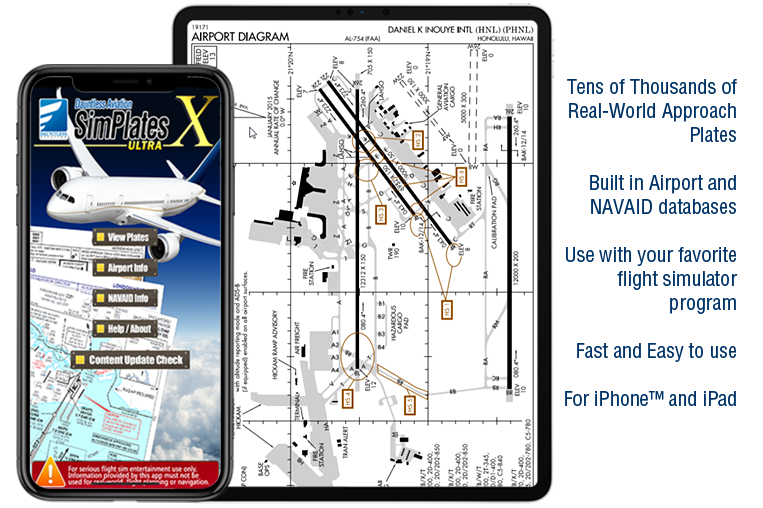
SimPlates worldwide approach plates for flight simulators for iPhone™ / iPad™ / iPod Touch™
| | |  | | IFR Appraoch Plates for Flight Simulation
SimPlates ULTRA |
| | | 
The iOS™ apps on this page work great with your iPhone™, iPad™, iPod touch™, or other compatible device only - however, they are NOT intended for use with your PC or Mac.
Your iOS™ device is designed to get compatible apps from the iTunes AppStore™. You are welcome to obtain our iOS™ apps, therefore, uniquely from the iTunes AppStore-- just as is the case for all equivalent apps from all other companies eveywhere.
These iOS™ apps (programs) have been needed to be specifically designed, programmed, and tested (a process involving hundreds to thousands of hours and specialized skills and tools) to work on iOS™ devices and they certainly do work great on them. However, this also means that they work on iOS™ devices only--purchases made via the iTunes AppStore™ are not compatible with and will not work on, for example, your PC or Mac.
If you'd like to use a given app for both your iPhone / iPad / iPod and its equivalent piece of software for your PC or Mac (where one is available), as some people do in order to get 'the best of both worlds', you would need to purchase these separately. This 'a la carte' system ensures that you pay for only that which you intend to use and is fair to all involved. At any rate, it could not be differently due to Apple's sensible policy that its AppStore is for iOS apps only and effectively that no 'intermingling' is allowed.
We thank you for your understanding that we are obliged to follow all other software vendors in following Apple's policies in this regard. |
|
|
|---|
"A must have for serious flight simulator pilot"
- FlightSim.com review
|
|

| “
Fantastic! I've waited for something like this!
A great app that works perfectly on my ASUS transformer prime! From what I've seen so far, charts are accurate and reasonably up to date (even current in the US). I operate a full 737NG home cockpit and purchased a tablet simply for quick access to airport charts. Cannot recommend this app highly enough!
”
|
“
fantastic
Are you a flight sim flyer that likes to fly correct procedures at airports around the world but find it hard to obtain the charts ? well Simplates is the answer, what Simplates is is a
very neat program that will down load these charts for you in next to no time , the program is stand alone so you dont need any other program to run it and will work with any Flight
Simulator eg FS2004 to X-Plane etc, there are Over 70,000 real-world IFR plates and some VFR ones too .. but thats not all as the iOS version is now the new ultra edition which now has about 70,000 charts.
I have used an older version of Simplates on the PC so i knew this version would be good , in fact its better then i thought it would be and so too is the customer support as i had a few problems but
these turned out to be the fault of my credit card company and not the program. One thing i would add is dont use these for any form of real world flying as the charts will be out of date but are great for flight simulators. all in all a great product that works fine on my S2 and would look even better on a tablet .
” |
“
Amazingly excellent collection
The reviewer who gave this one star is a liar, and probably one who planted the review artificially for his much more expensive subscription based service. The reality is that simplates has a HUGE amount of plates.. larger than any other, does NOT have any supposed license check other than the one that Google play has for ALL apps and of course you don't have to manually copy the plates to your device like you do with the rip off subscription that the other guy mentioned. Simplates has more and better plates now and the dauntless help desk told me there would be a massive free upgrade soon, too. Love this app. Incredible value for what you get. I use it every time I use msfs.
” |
“
A must for Flight Simming
HUGE collection of plates for flight sim use. I was surprised just how many there were. Very useful in flying a variety of approaches. Highly Recommended.
” |
“
Great App!
The number and quality of plates was larger than I anticipated. Excellent stuff and really useful for flight simulator. Excellent customer service, too!
” |
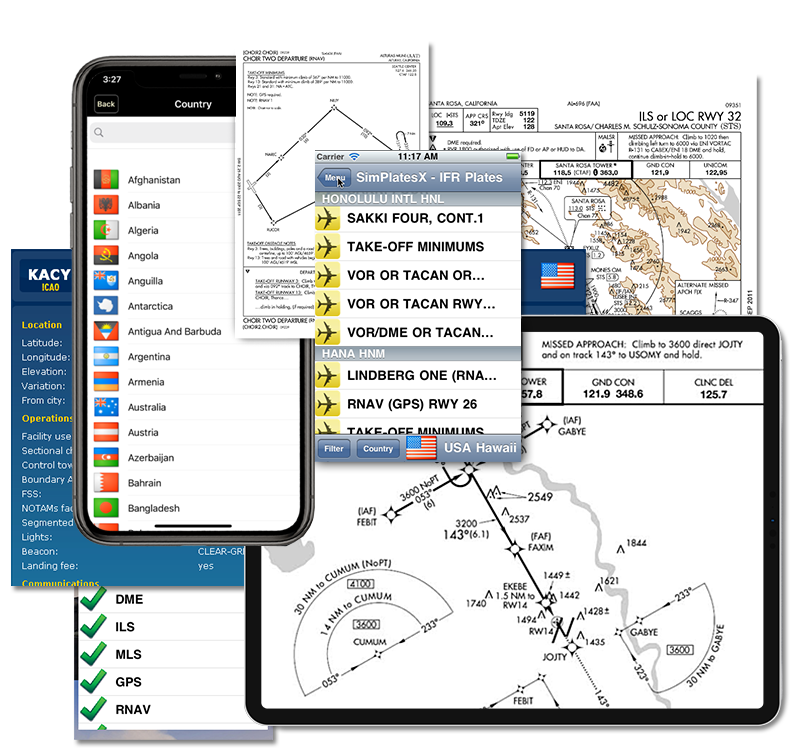
SimPlates Ultra Plate Coverage
- Approximately 80,000 total plates**
- See the list below for a live list for the airports covered and the number of plates included.
- While the list below is "live," it may not be 100% accurate. While it should generally be pretty correct, it is potentially subject to all of the
following caveats:
- There may be plates / countries / airports included that are not on the list below (not likely to be many)
- For a variety of reasons, plates / countries / airports listed below might not be available, or might become unavailable in the future*.
- While the coverage of SimPlates ultra is excellent, not every country is covered to the same depth.
- Occasionally, a listed plate may be unavailable, permanently or not, due to technical reasons.
- For some airports, especially "VFR Only" rural ones, the included plate may be only a textual "information plate" and not a graphical
approach or other plates. Probably around 3% of plates are like this.
- To see the list of plates included for a given airport, go to PilotNav.com and find the airport
there. The list of plates is included on the airport's PilotNav page. In some cases, not all plates for a given airport are available--
you can check.
- Despite the caveat list above, it really is an excellent and HUGE list of plates that will do wonders for the realism and enjoyment of your flight simulator
entetainment experience*.
|
|
* This list is believed to be accurate. However, in a very small percentage of cases, it may happen that an airport
in this list is not available in the shipped version. We apologize for this if this happens to you, however, please understand
that this list does not constitute a guarantee, and the unavailability of any airport/airports in this list does not constitute grounds for refund / rebate of any sort. Thank you for understanding.
** This is a static estimate and is only an estimate. The number of distinct PDF documents at the time of this writing is around 63,000, though in some cases single PDF documents contain
multiple plates. In a small number of cases,this may include duplicate versions of similar plates from differing sources or times, such as both a Military and Civil version of essentially the
same approach.
|
 |

Instrument Approach Charts for Flight Simulator Use
|
 |
 |
 |
 |
 |
 |
|
|
© 2024 Dauntless Aviation • 4950C York Road 110, Buckingham, PA, 18912, USA •
Contact Us •
Privacy Policy
|
|